With raylib
A game is where hot reloading pays off most: you tune gravity, colours and shapes while the
game runs, and the balls carry on from where they were.
examples/raylib is a small raylib
program to play with: balls that fall, bounce and change colour.
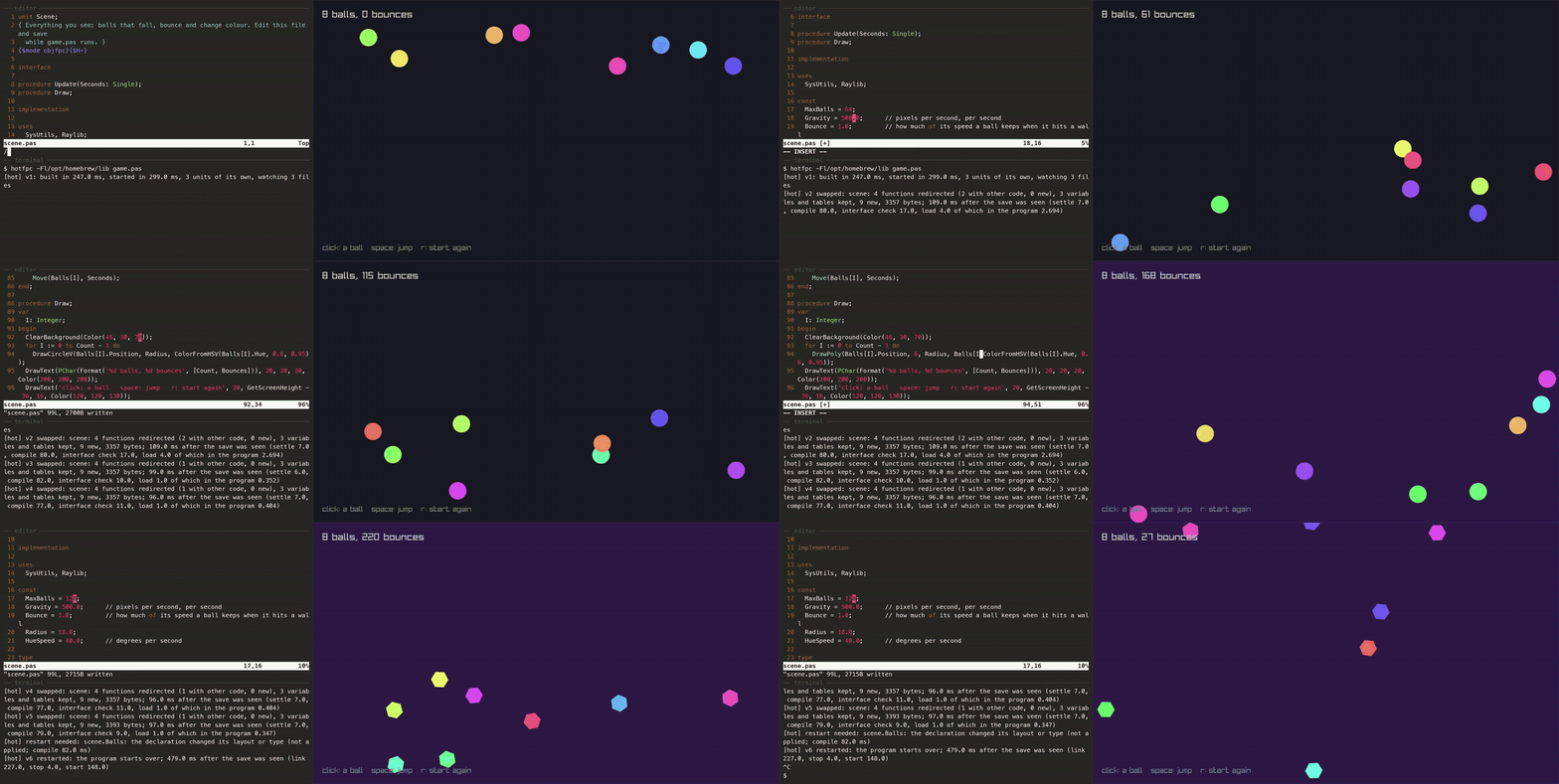
The README describes this recording (video).
How the example is laid out
game.pasopens the window and runs the frame loop. It is the main program, which keeps its old code, so it only callsUpdateandDraw.scene.pasis everything you see: the constants, the balls in a unit variable, and the code that moves and draws them. This is the file you edit.raylib.pasdeclares the part of raylib the example uses, straight fromraylib.h, so there are no bindings to install. For another function, copy its line fromraylib.hinto it.
That is the layout to copy for your own game: the loop in the program, the state and the code you change in units.
Get raylib
- macOS on Apple silicon:
brew install raylib. - macOS on Intel: download
raylib-<version>_macos.tar.gzfrom raylib's releases, whose library runs on Intel and Apple silicon, and unpack it in a directory whose path has no spaces. Homebrew has no prebuilt raylib for Intel Macs any more. - Linux: download the archive for your processor from raylib's
releases and unpack it in a directory whose
path has no spaces (Run it says why):
raylib-<version>_linux_amd64.tar.gzon x86-64,raylib-<version>_linux_arm64.tar.gzon arm64. Your distribution's package works too, if it has one. - Windows: download
raylib-<version>_win64_mingw-w64.zipfrom the same page and copylib/raylib.dllfrom it intoexamples/raylib.
The example was written against raylib 6.2.
Run it
On macOS, with raylib from Homebrew, brew --prefix names where Homebrew put it:
cd examples/raylib
hotfpc "-Fl$(brew --prefix)/lib" game.pas
With a release unpacked on macOS or Linux, set RAYLIB to the directory it unpacked into,
here Linux x86-64's in your home directory (raylib-6.2_macos on a Mac):
cd examples/raylib
RAYLIB="$HOME/raylib-6.2_linux_amd64"
hotfpc "-Fl$RAYLIB/lib" -k-rpath "-k$RAYLIB/lib" game.pas
-Fl tells fpc where the library is, and -k-rpath tells the program where to find it when
it starts. hotfpc passes both to fpc, and builds the agent with them too. fpc hands a -k
option to the linker split at its spaces, so unpack the release into a directory whose
path has none.
On Windows, with raylib.dll in examples\raylib, in cmd.exe or PowerShell:
cd examples\raylib
hotfpc -Twin64 -Px86_64 game.pas
-Twin64 -Px86_64 makes the installer's fpc build a 64-bit program, which hotfpc needs and
the 64-bit raylib.dll loads into (Windows programs).
Click to drop a ball, press space to make them all jump, and r to start again.
Things to try
Change any of these in scene.pas and save. The balls carry on from where they were:
Gravity,BounceorHueSpeed;- the background in
ClearBackground(Color(24, 26, 34)); ColorFromHSV(Balls[I].Hue, 0.6, 0.95), for paler or darker balls;DrawCircleV(...)toDrawPoly(Balls[I].Position, 6, Radius, Balls[I].Hue, ...), for spinning hexagons;- the text at the top.
Some edits need a restart. hotfpc says which declaration is in the way and starts the game over, with a new set of balls:
MaxBalls, because it changes the size of theBallsarray the program already has;- a new field in
TBall, for the same reason.
On Windows, a raylib function that the program didn't call when it started needs a restart as well. On macOS and Linux, hotfpc looks it up in the library.